
Seven areas, one system.

A bot talks to the panel, the panel to the shop, the shop to the server. You do not get single parts, you get one system.

01 · Panels & administration

Panels & administration

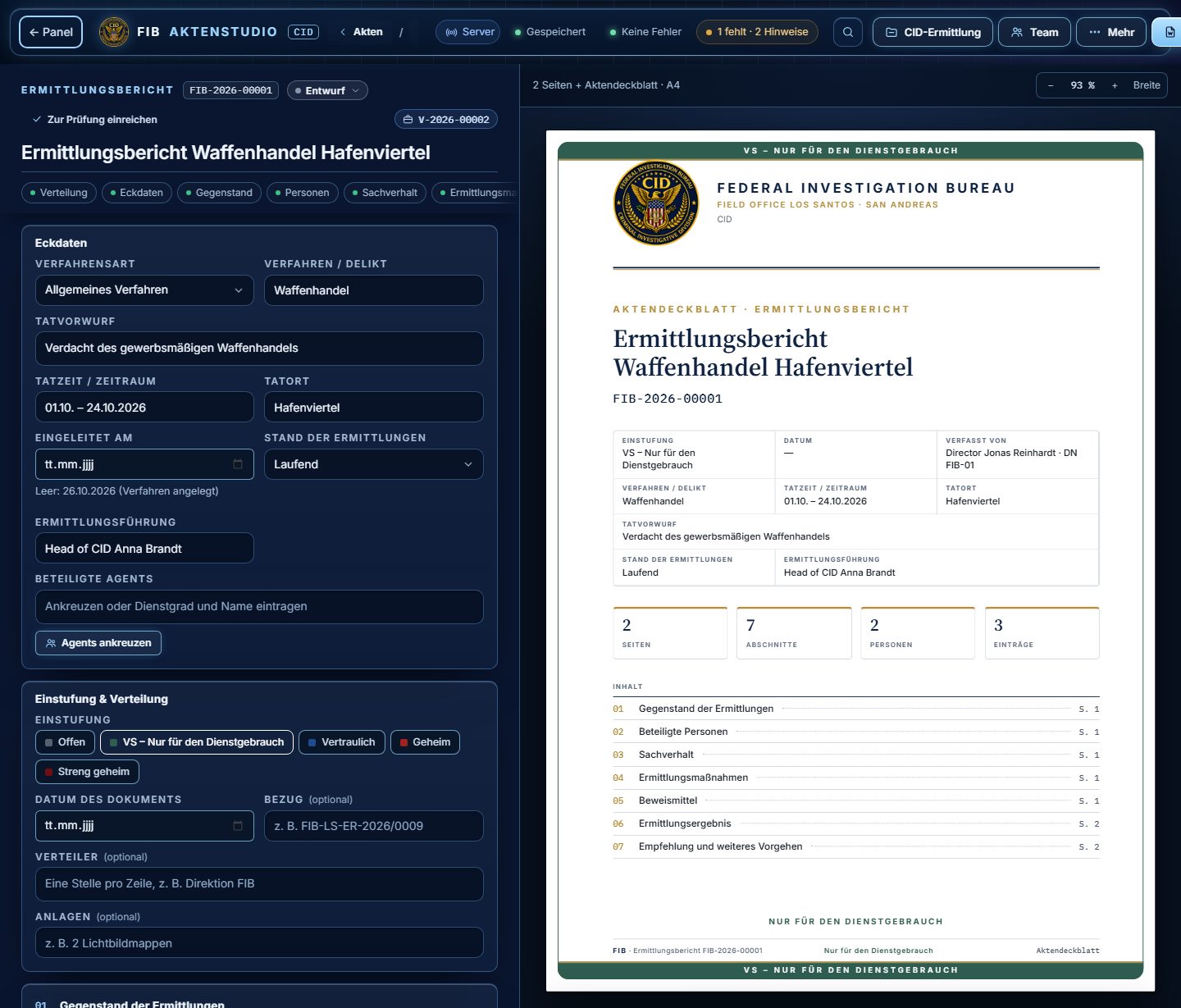
Records, staff, duty hours and permissions in one place: for roleplay agencies, factions, businesses and clubs. With Discord login and clean role logic.

Well suited for

  • Roleplay agencies, factions and businesses
  • Management and staff administration
  • Records, reports and review workflows
  • Tools with Discord login, roles and permissions

What is included

Records & reports

Forms with live preview, classification, review status and archive.

Staff & roles

Staff lists, ranks, actions and role sync with Discord.

Duty hours

Time clock, absences and reports for management and team.

Permissions & logs

Permissions checked on the server, audit log and traceability.
Typical outcome

  • An administration that mirrors your real workflow
  • Fewer spreadsheets, chats and manual role changes
  • A foundation for new modules and roles
Talk to us about it → Plan a FiveM management panel
fib-aktenstudio
FIB case studio

02 · Discord bots

Discord bots

Tickets, applications, moderation, roles. Bots that fit your server and work together with your panel and shop.

Well suited for

  • FiveM servers, roleplay factions and leadership teams
  • Creator communities, support and project servers
  • Tickets, applications, logs, roles and permissions
  • Custom slash commands, webhooks and automated workflows

What is included

Custom bot features

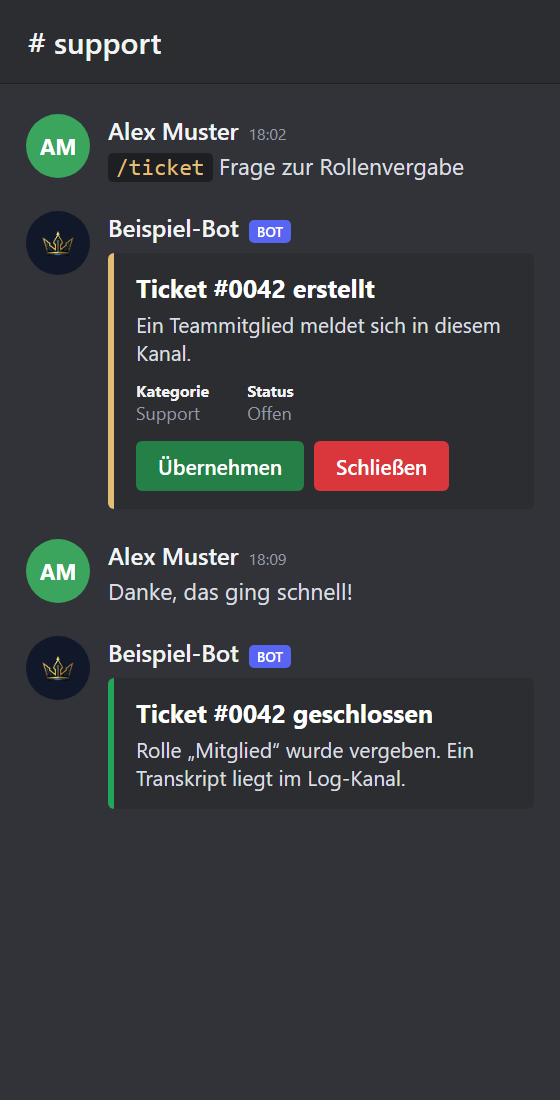
Slash commands, tickets, applications, moderation and role actions.

Server structure

Roles, permissions and channels planned cleanly so everyone finds their way.

Automation

Reports, status messages, data sync and recurring admin tasks.

Logs & control

Traceable workflows instead of a black box; failures become visible.
Typical outcome

  • A Discord setup that members, moderators and leads understand
  • Less manual admin work thanks to bots, webhooks and clear roles
  • Bot features that fit your community
Talk to us about it → Plan a custom Discord bot
discord · ticket
Ticket card in a support channel (example)

03 · Tickets & status boards

Tickets & status boards

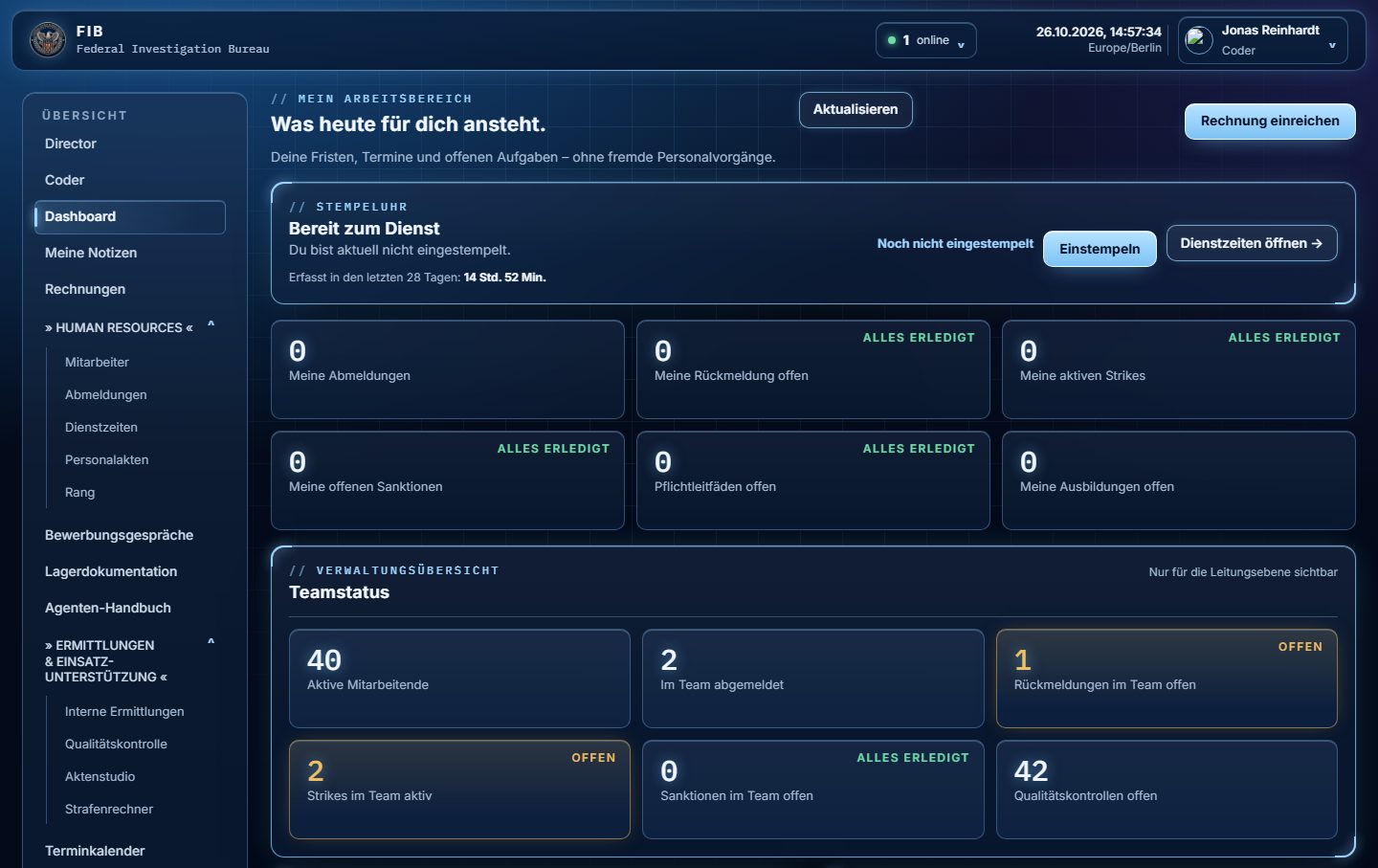
Support tickets, requests and status overviews: who is on duty, what is open and what needs a decision. With notifications on Discord.

Well suited for

  • Support tickets and requests with clear ownership
  • Status overviews: who is on duty, what is open
  • Discord messages when a decision is due
  • Approvals and review paths for teams

What is included

Tickets

Create, claim, close, with a transcript in the log channel.

Status board

Team status, open items and deadlines at a glance.

Notifications

Discord messages and webhooks when something needs attention.

Approvals

Requests run through review and decision up to role assignment.
Typical outcome

  • Everyone sees what is open and who is on it
  • Requests no longer get lost in chats
  • Shorter paths from request to decision
Talk to us about it →
fib-panel
FIB panel, team status (test data)

04 · FiveM systems

FiveM systems

Resources, menus and dispatch centres for roleplay servers. Build new mechanics or adapt existing scripts with care.

Well suited for

  • Custom resources for your roleplay server
  • Adapting or extending existing scripts
  • Dispatch centres, records and faction administration
  • Interfaces in game and in the browser

What is included

Scripts & jobs

New mechanics, jobs, items and workflows for your server.

NUI & interfaces

Menus, tablets and displays that load fast and are pleasant to use.

Dispatch

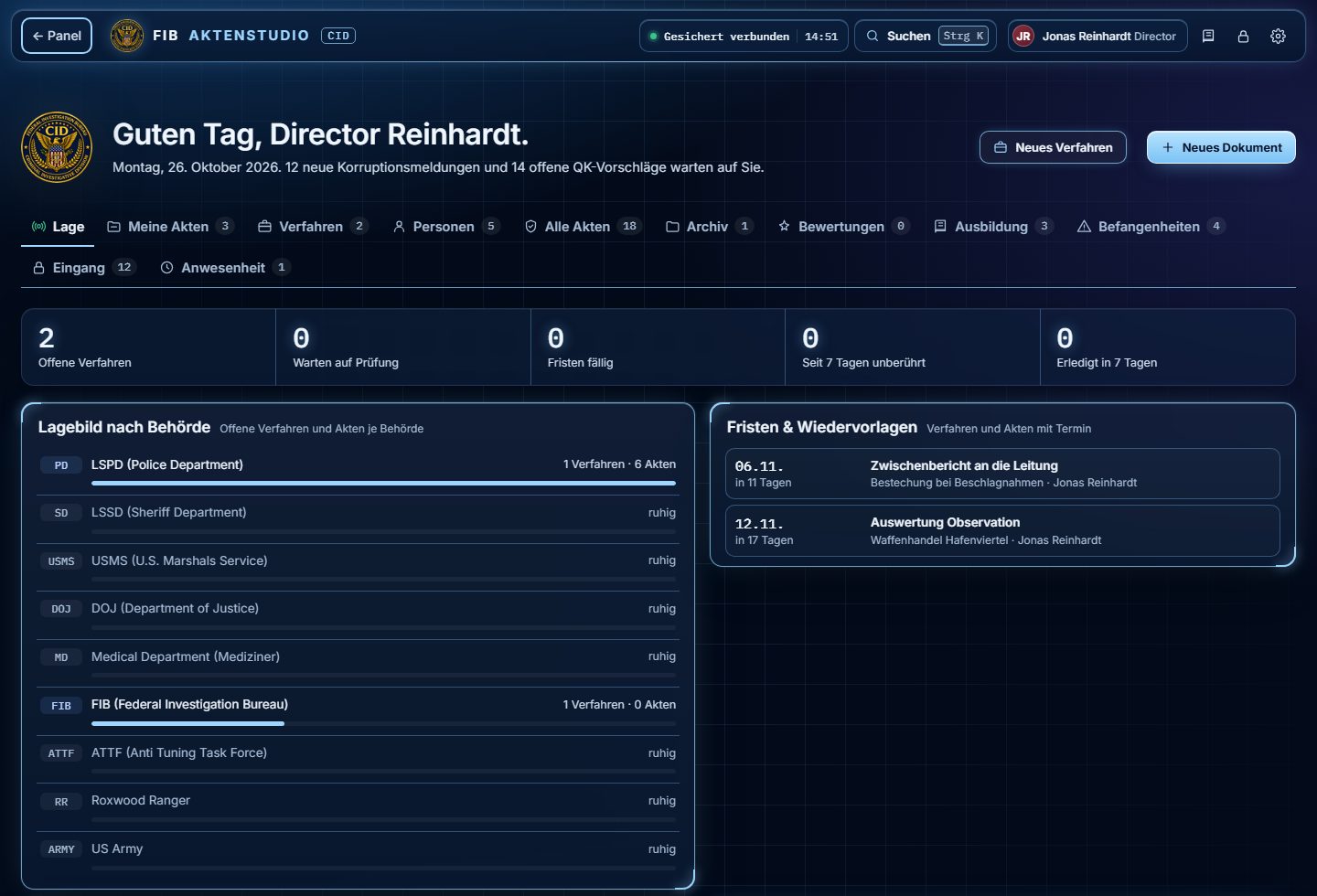
Incident and status views that work together with panel and Discord.

Setup & balancing

Setup, fine-tuning and troubleshooting on running systems.
Typical outcome

  • Mechanics that fit your roleplay
  • Interfaces that run smoothly in game
  • Clean interfaces to panel and Discord
Talk to us about it → Explore FiveM scripts Plan a FiveM management panel
rp-panel
Roleplay panel (FIB case studio)

05 · Minecraft servers

Minecraft servers

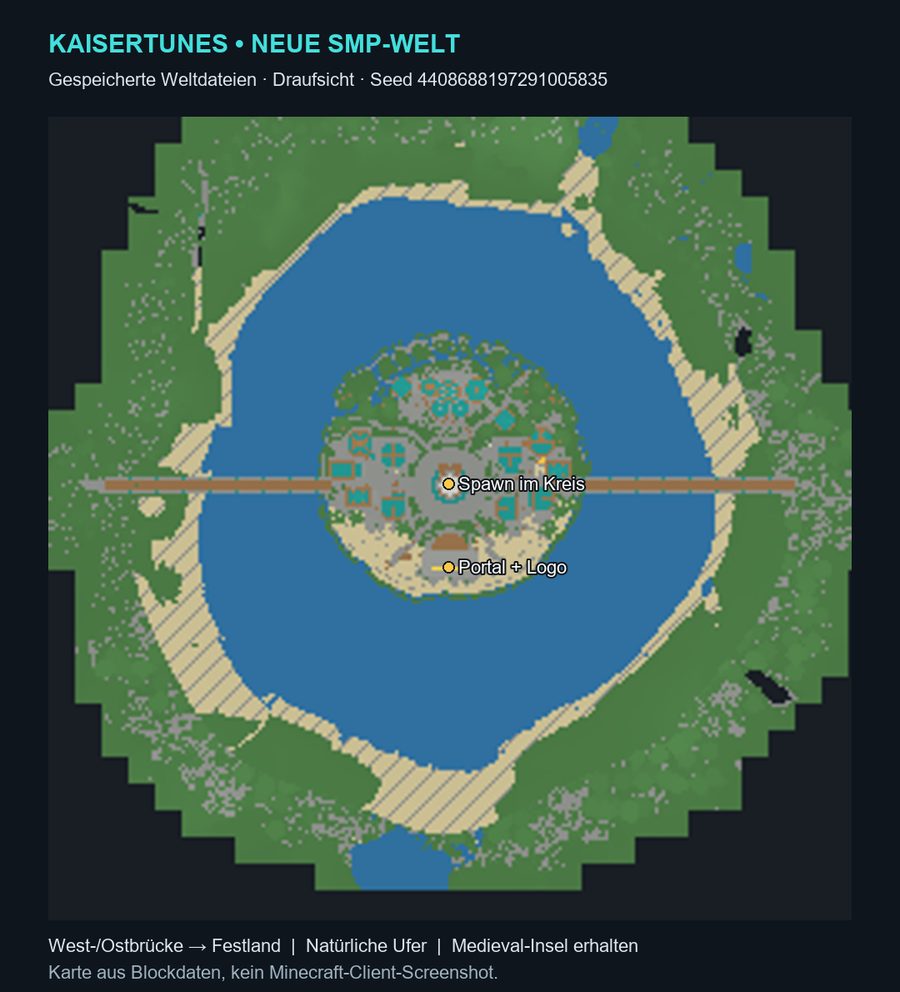
Paper plugins, menus instead of commands, your own economy and recipes. From setup to day-to-day operation.

Well suited for

  • Survival, SMP and community servers
  • Servers that want menus instead of commands
  • Custom economy, factions and game rules
  • Existing servers with plugin or performance needs

What is included

Paper plugins

Custom plugins in Java for features you cannot get off the shelf.

Menus, not commands

Everything through inventory menus: new players never need to look anything up.

Economy & recipes

A custom economy, recipes in the recipe book and fitting game systems.

Setup & operation

Setting up, updating, securing and measuring so the server runs smoothly.
Typical outcome

  • A server newcomers understand right away
  • Custom features instead of a plugin patchwork
  • Operation that measurably runs stable
Talk to us about it → Discuss a Minecraft plugin
kaisertunes
KaiserTunes SMP

06 · Shop integrations

Shop integrations

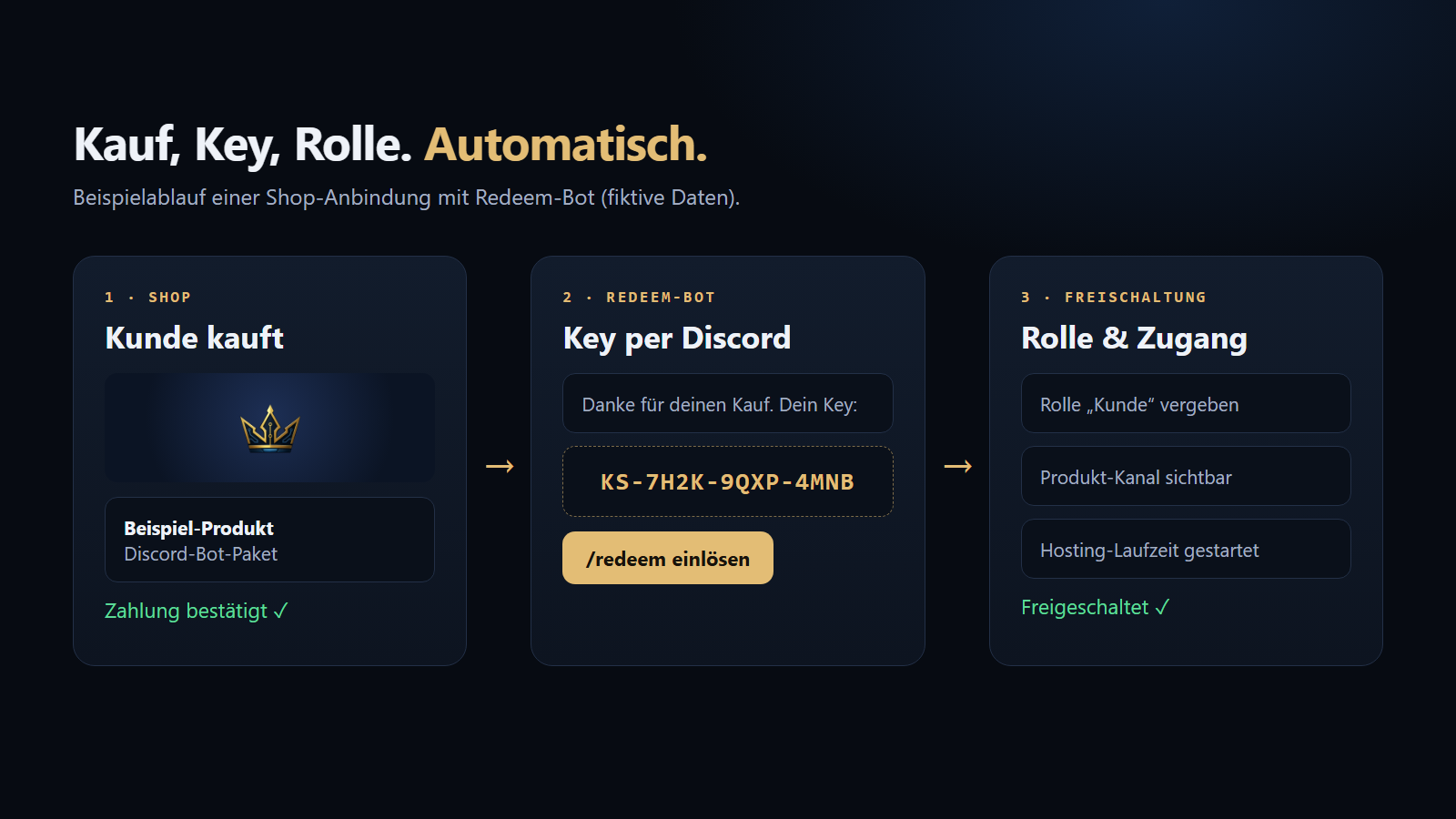
From purchase to activation without manual work: purchase verification, key redemption, roles and hosting terms.

Well suited for

  • Shops for bots, scripts and hosting
  • Digital products with automatic activation
  • Communities with paid roles or access
  • Connection to existing payment providers

What is included

Purchase check

The payment is confirmed before anything is unlocked.

Key redemption

The customer redeems their key with a redeem bot on Discord.

Roles & access

Role, channel or hosting term are set automatically.

Shop connection

For example SellAuth and Stripe, matched to your shop.
Typical outcome

  • No manual unlocking after a purchase
  • Fewer questions, because the flow is clear
  • Traceable logs
Talk to us about it →
shop · redeem
Purchase, key, role (example flow)

07 · Design & websites

Design & websites

Logos, interfaces, embeds and websites in one consistent look. Responsive, accessible and fast.

Well suited for

  • Discord servers, FiveM projects and creators
  • Landing pages and application pages
  • Existing sites with structure or loading problems
  • A fresh look for existing interfaces

What is included

Logo & brand

One consistent look across all channels.

Interfaces

Panels, dashboards, embeds and bot cards in the same look.

Websites

Project pages, landing pages and application pages, fast and responsive.

Technical foundation

Titles, descriptions, structure and accessibility considered from the start.

Typical outcome

  • A website that explains your project and how to join
  • A look that ties panel, bot and website together
  • A clean structure for later extensions
Talk to us about it → Plan your website
kaiser-software
One look for everything
On top

Operation, security & extension.

So that Discord bots, panels and community systems run stable and can grow cleanly, not only on launch day.

Deployment

Clean release

Uploads, server paths, domains, SSL, redirects and configuration are set up so that changes go live in a controlled way.

Analysis

Finding faults and bottlenecks

On existing projects we check logs, load times, resources, browser errors and configuration to work on concrete causes instead of guesses.

Further development

Growing after launch

Existing bots, web tools and websites can be extended with new features, better performance, security measures or cleaner workflows.

Bots, scripts & hosting

Looking for a ready-made solution or the right hosting for your project? We discuss available bots, scripts, hosting and technical support on Discord.

Ask about availability →Explore hosting and operation →

Which area fits your project?

Describe it in two sentences, we sort out the rest on Discord.

Prepare a message →